
Features
More than a card. A whole event page.
Your invitation opens like a real card, then guests scroll down for the schedule, maps, travel notes and the RSVP. You read every reply in your dashboard and download the list. There is no app for anyone.
One invitation, six things guests love
- It opensGuests break a seal or step through an arch, like a real card.
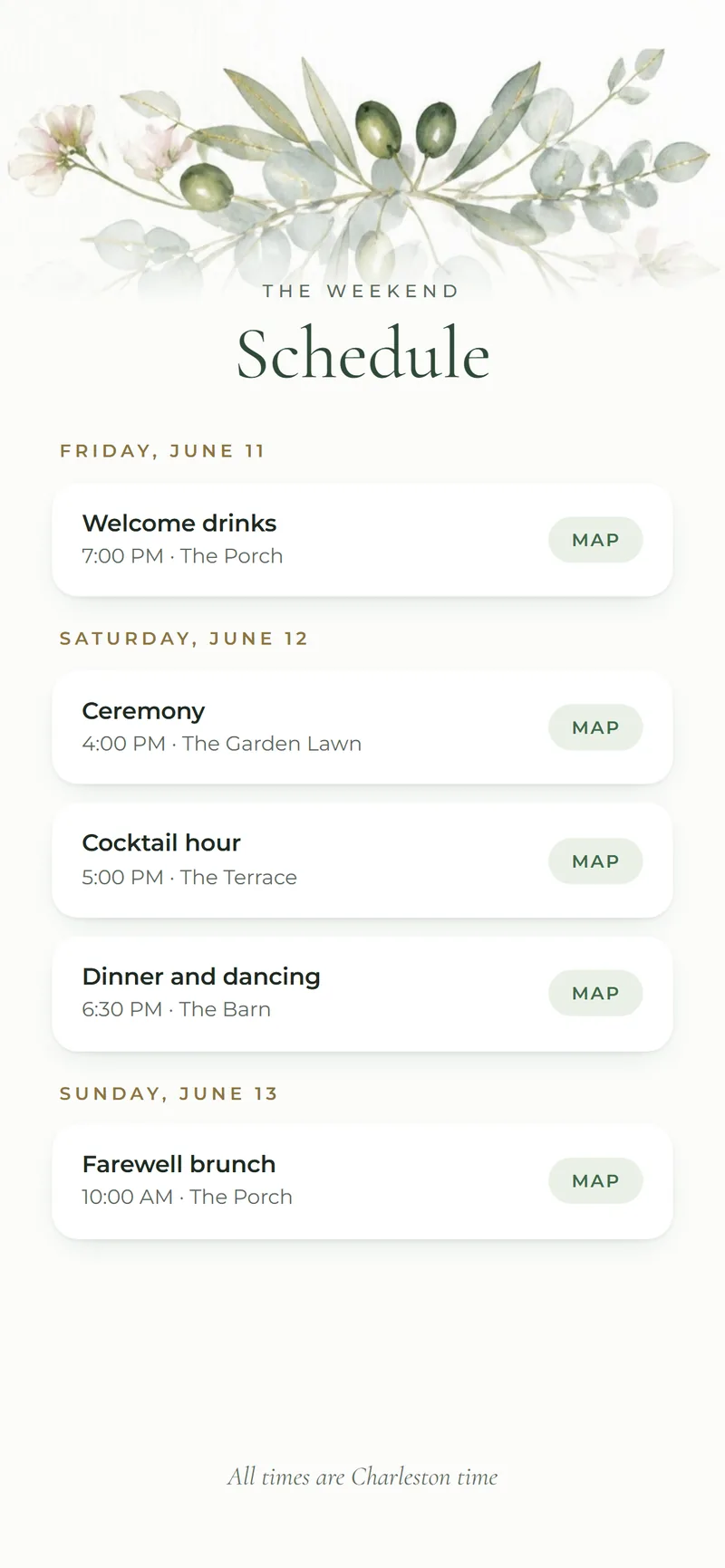
- The scheduleEvery event of the day or the weekend, with a map for each.
- RSVPWho is coming, to which events, how many and their meal choice.
- Travel and hotelsWhere to stay, airports and parking for guests flying in.
- Your songIt plays as the invitation opens. Guests can turn it off.
- Watch liveA live stream link for family who can’t travel.
In detail
Made for hosts and their guests.
Costs less than paper
Printed invitations and stamps can add up to hundreds of dollars. Nimtto starts at $49, paid once, and you can send it to as many guests as you like.
Plans change. That’s okay.
Change a time or a place whenever you need to. Everyone with the link sees the new details right away.
Know who’s coming
Replies go straight to your dashboard: who is coming, to which events, how many, and their meal choice. Download the list any time.
A moment to remember
Every design opens in its own way. Guests break a seal or open a gate, just like a real card.
Your song plays
Pick a song to play as the invitation opens. Guests can turn it off.
Send it by text or email
Copy your link and send it any way you like. Your names and picture show in the preview.

 Emily & James · June 12, 2027
Also included
The small things that matter.
Every plan has the basics. Pro adds photos, every event with maps and your song; Pro Max adds premium designs and a personal link for each guest. Compare plans
- 01
Countdown and calendar
Days to go, and one tap to add each event to the guest’s own calendar.
- 02
Venue time zone
Every time shows in the venue’s local time, so guests from other states arrive on time.
- 03
Your story and photos
A few photos and words about the two of you, in your own voice.
- 04
Guest list download
Every reply in your dashboard, ready to download for your caterer or seating chart.
Questions
How it works for guests.
How do guests RSVP? Do they need an app?
Guests open your link in any phone or computer browser and reply in about a minute: who is coming, to which events and how many. There is no app to install, no account and no password. You see every reply in your dashboard and can download the guest list at any time.
Can I change details after I send it?
Yes. Change a time, a place or a photo whenever you need to. The link stays the same, and every guest sees the new details right away. You can edit from your dashboard, or tell us what to change and we update it for you.
Can I add multiple events?
Yes. One link can hold the whole weekend: welcome drinks, the ceremony, the reception and a farewell brunch, each with its own time, place and map. Guests reply to each event, so you know the numbers for every part of the day.
What about guests in other time zones?
Every time shows in the venue’s local time, so nobody is confused about when to arrive. Guests can add each event to their own calendar with one tap, and their calendar shows it in their own time.
Is my guests’ information private?
Yes. We never sell your data. Guest replies are shown only to you and our team, and we use them only to run your invitation. Payments go through PayPal, so we never see card numbers. You can ask us to delete your data at any time.
How long does my invitation stay online?
Your invitation stays online for at least one year after your event date, so guests can look back at the details and photos. If you need it online longer, just ask us.
See it on your own phone.
Pick a design you love. A real designer sets it up with you.